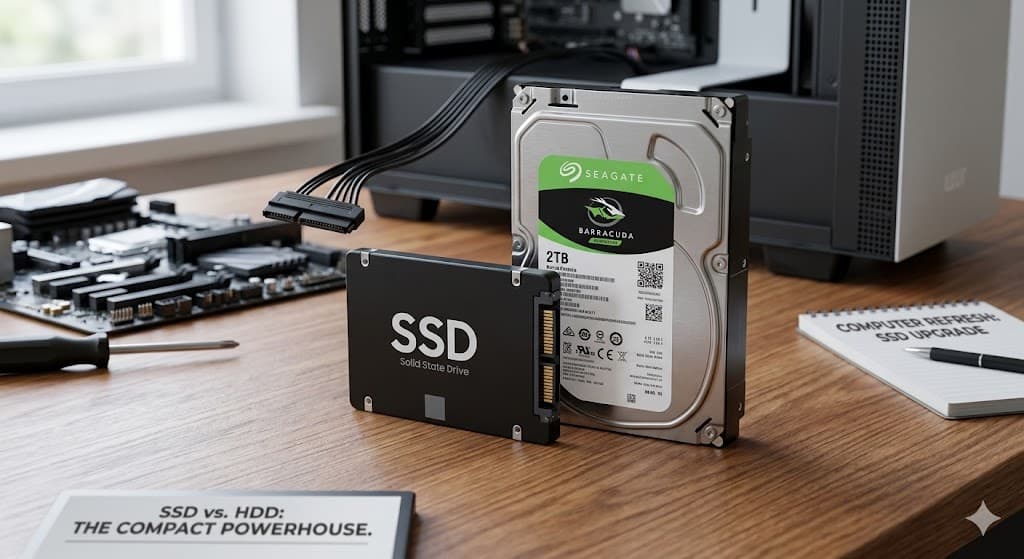
SSD vs HDD: The $100 Upgrade That Makes Your Old Laptop Feel New
Your laptop takes three minutes to boot. Programs hang when you click them. Everything feels like it's moving through mud. You're ready to buy a new computer.
Hold on.
There's a good chance your laptop isn't actually dying — it's just being held back by a spinning hard drive. And for about $50-100 and an hour of our time, we can make it feel like a completely different machine.
What's the Difference?
A traditional hard drive (HDD) stores your data on a spinning metal disk. A tiny arm moves back and forth across the disk to read and write data — kind of like a record player. It's mechanical, it's slow, and it's the bottleneck in most older computers.
A solid state drive (SSD) has no moving parts. It stores data on memory chips, similar to a USB flash drive. Everything happens electronically instead of mechanically. The result? Your computer responds almost instantly.
What You'll Actually Notice
This isn't a subtle difference. We're talking:
- Boot time drops from 2-3 minutes to 15-20 seconds. You press the power button, and you're working before your coffee is ready.
- Programs open immediately. Click Word, it's open. Click Chrome, it's open. No more staring at a spinning wheel.
- File transfers happen in seconds instead of minutes. Moving photos, copying documents, downloading updates — all dramatically faster.
- The whole system feels responsive. Scrolling is smoother, searches are instant, and that frustrating lag between clicking and something actually happening is gone.
We do this upgrade several times a month, and the reaction is always the same: "It feels like a brand new computer."
What It Costs
An SSD for most laptops runs between $50-100 for 500GB to 1TB of storage — that's as much or more space than what you have now. We clone your existing drive to the new SSD, so everything transfers over exactly as it was. Same files, same programs, same desktop, same passwords. Nothing changes except the speed.
The whole process usually takes about an hour of on-site time. We come to you, swap the drive, verify everything works, and you're done.
Compare that to buying a new laptop for $500-1000, setting everything up from scratch, transferring files, reinstalling programs, and figuring out where everything went. The SSD upgrade gives you 80% of the "new computer" feeling at 10% of the cost.
Is My Laptop a Candidate?
If your laptop is from 2015 or later and it's running slow, there's a very good chance an SSD swap will transform it. Even machines from 2012-2014 can get a second life with an SSD.
The easiest way to check: if your laptop takes more than 30 seconds to get to the desktop after pressing power, you're almost certainly running a hard drive that's begging to be replaced.
The Bottom Line
Before you spend hundreds on a new machine, give us a call. An SSD upgrade is the single best bang-for-your-buck improvement you can make to an aging computer. We've brought laptops back from the dead with this one change.
Ready to speed things up? Call us at (719) 838-0435 or use our contact form. We come to you anywhere in Summit, Park, Lake, and Chaffee counties.
Need help with something mentioned in this post?
Call (719) 838-0435