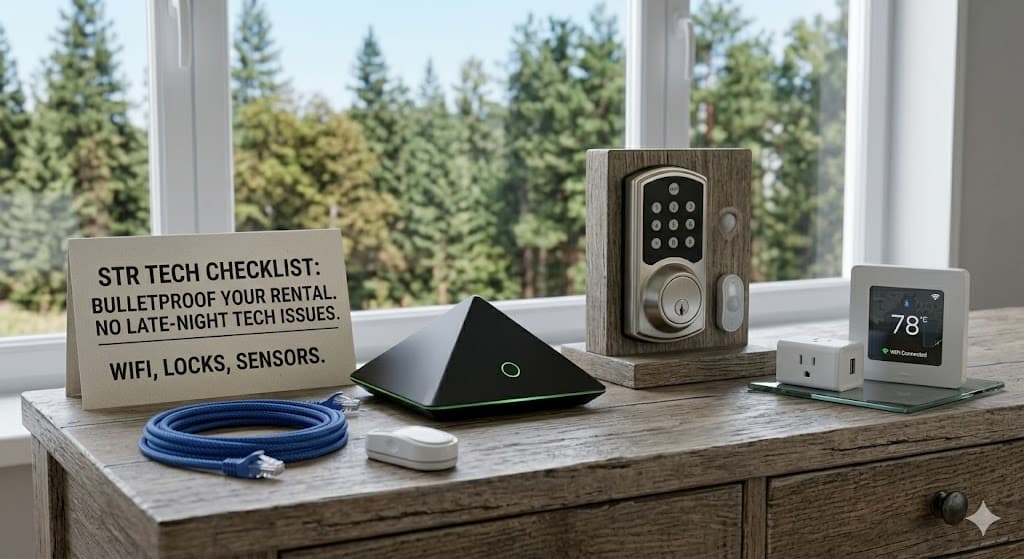
Tech Checklist for Short-Term Rental Hosts
You've got the linens dialed. The kitchen is stocked. The hot tub is spotless. But when a guest can't connect to the WiFi at 10pm on a Friday during ski season, none of that matters. That one-star review is coming.
We work with short-term rental hosts across Summit, Park, and Lake counties, and the tech complaints are almost always the same — and almost always preventable. Here's what to get right before your next guest checks in.
WiFi That Actually Works
This is number one for a reason. Guests expect fast, reliable WiFi — not "it works in the living room but not the bedroom." In a mountain cabin with log walls, stone fireplaces, and multiple floors, a single router from your internet provider isn't going to cut it.
What to do:
- Get a mesh WiFi system (like ASUS ZenWiFi or similar) that covers every room, every floor, and ideally the deck
- Name the network something simple and post the password prominently — a framed card on the kitchen counter works great
- Test the connection in every room yourself before listing the property
- If you're on Starlink, make sure the dish has a clear view of the sky and isn't buried under snow
Pro tip: Set up a separate guest network. This keeps your smart home devices, security cameras, and personal stuff on a different network from whatever your guests plug in.
Smart TV and Streaming
Guests want to watch their shows. If your TV situation is confusing, you'll hear about it.
What to do:
- Make sure the smart TV is logged out of all personal accounts between guests
- Consider a dedicated streaming device (Roku or Fire Stick) — they're simpler than most smart TV interfaces
- Print a one-page guide: "How to use the TV" with the remote explained and streaming app instructions
- Label which remote does what if you have a soundbar or multiple devices
The Guest Tech Binder
A simple printed binder or laminated sheet answering the three things every guest asks:
- WiFi name and password — big, bold, impossible to miss
- How to use the TV — which remote, which input, how to get to Netflix
- Who to call if something doesn't work — this is where you put our number
That last one is key. When something goes wrong at 8pm on a Saturday, your guest needs a number to call that isn't yours. We handle those calls so you don't have to.
Printer Access (If You Offer One)
Plenty of guests are working remotely. If you provide a printer, make sure it's:
- Connected to the guest WiFi network
- Set up with basic instructions posted nearby
- Stocked with paper and ink
Most "the printer doesn't work" calls are because the printer is on a different network than the guest's phone or laptop.
Smart Locks and Access Codes
If you're using smart locks for keyless entry:
- Change the code between every guest
- Have a backup plan if the lock battery dies or WiFi goes down
- Test the lock yourself before every check-in
A guest locked out at midnight in January at 9,000 feet is not a situation you want to troubleshoot over text.
Security Cameras and Disclosure
Colorado law requires you to disclose any recording devices on the property. Make sure:
- Exterior cameras are noted in your listing
- There are zero cameras inside the property
- Smart speakers (Alexa, Google Home) are either removed or clearly disclosed
The Pre-Season Tech Checkup
Before each busy season (ski season and summer), have someone walk through the tech in your rental:
- Speed-test the WiFi in every room
- Update the smart TV and streaming devices
- Check all remotes for dead batteries
- Verify the printer works
- Test the smart lock
- Replace any worn-out charging cables
Think of it like servicing the furnace — preventive maintenance that avoids emergency calls and bad reviews.
We Do This
If you manage one rental or twenty, we can set up, maintain, and troubleshoot the tech stack in your properties. On-site in Summit, Park, Lake, and Chaffee counties. We come to the property, get everything dialed, and you get our number for when a guest calls with an issue.
Want to bulletproof your rental's tech? Call us at (719) 838-0435 or reach out through our contact form. We'll do a walkthrough and make sure everything is guest-ready.
Need help with something mentioned in this post?
Call (719) 838-0435